Essential cookies enable core functionality. The website cannot function properly without these cookies, and they can only be disabled by changing your browser preferences.
Advertisement cookies are used to provide visitors with relevant ads and marketing campaigns. These cookies track visitors across websites and collect information to provide customized ads.
Used to identify individual clients behind a shared IP address and apply security settings on a per-client basis.
By selecting “Accept all” you allow QualityHive and our partners to use cookies and to share your data for all these purposes.
We and our partners use cookies and similar tools to measure our site's audience, evaluate the performance of our ads, and show you personalized content and ads.
Except for cookies that are essential for navigating our site, we use these cookies and share your data only with your consent.
Automate client feedback with our MCP serverLearn more!
A website redesign works when you decide what is changing and why before any design starts, measure the old site so you can prove the new one is better, and carry over the pages that already earn their keep. This checklist covers those jobs in five stages: goals, content audit, design sign-off, build QA and launch.
A redesign is not always a migration. If your URLs stay put, this checklist is enough. If any URLs move, you also need the SEO website migration checklist for the redirect and Search Console work.
What is changing
What you need
New look, same URLs
This checklist
New look, some URLs change
This and the migration checklist
New domain or platform
Both, split into two steps if you can
Google's site move guidance advises changing one thing at a time. Launching a new design and a new domain together makes it much harder to work out what caused a drop.
Stage 1: Goals and baseline
Owner: project manager. Signed off by: client lead.
☐ Write one sentence on why the site is being redesigned, in business terms.
☐ Set two or three measurable goals, each with a baseline figure and a review date.
☐ Export 12 months of organic clicks, top landing pages and conversions per page.
☐ List your top 20 pages by organic traffic and your top 20 by conversions. These are the pages you protect.
☐ Record mobile Core Web Vitals for those pages: LCP, INP and CLS.
☐ Take full-page screenshots of every template on the old site, because you will want them later.
☐ Ask sales and support which questions customers keep asking that the site does not answer.
☐ Name one person who signs off each stage. Two approvers means conflicting feedback.
☐ Write the out-of-scope list: what this redesign will not change.
A goal is only useful if you can check it. For a fictional accountancy firm:
Goal
Baseline
Target
Check at
More enquiries
40 a month
55 a month
90 days
Faster mobile homepage
LCP 3.8s
LCP under 2.5s
30 days
Fewer "what do you do" calls
12 a month
5 a month
90 days
Stage 2: Content audit
Owner: content owner. Signed off by: client lead. Every URL gets one decision.
Decision
Use it when
What happens
Keep
It performs and is accurate
Moves across unchanged
Rewrite
Right topic, dated copy
Assign a writer and date
Merge
Several thin pages, one topic
Combine and redirect
Remove
No traffic, links or purpose
Return a 404 or 410
New
A gap customers ask about
Brief it and write it
☐ Export every URL with traffic, backlinks, conversions and last updated date.
☐ Give every URL one of the five decisions above.
☐ Check backlinks before removing anything.
☐ Name a writer and a date against each rewrite.
☐ Write real copy for the homepage and main templates before design sign-off.
☐ Find content that lives outside the CMS: PDFs, embedded forms, calculators.
☐ Set a content freeze date for the old site and tell everyone who edits it.
☐ Decide who moves the content and how images get renamed and compressed.
Designing around placeholder text causes late surprises. A real headline that runs to two lines breaks a hero built for four words, so get real copy in early.
Save countless hours on your projects
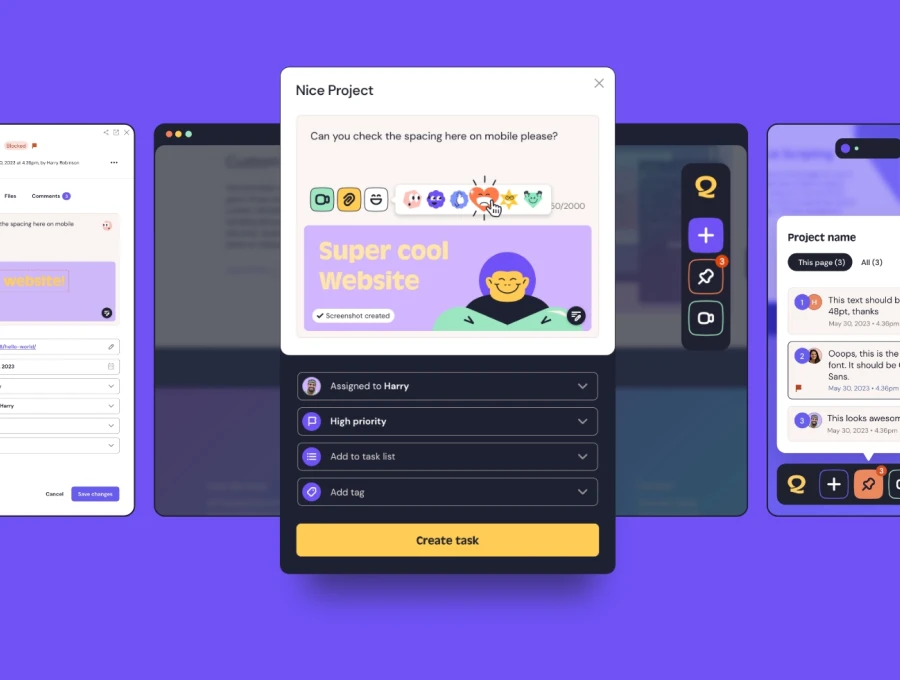
Raise tasks in under 3 seconds using our revolutionary widget
Stage 3: Design sign-off
Each deliverable has one person who signs it and a feedback window that goes in the plan.
☐ Log every issue with its page, browser and screen size.
Client feedback is where redesigns tend to stall. A client feedback tool such as QualityHive gives clients one link where they click the thing they want changed and type a comment, with no login or install. Guest links need the Lite plan or above.
Stage 5: Launch
Owner: developer. Signed off by: client lead.
☐ Pick a launch day early in the week, outside your busy season.
☐ Re-sync any content changed on the old site since the freeze.
☐ Set up 301 redirects for any URL that changed.
☐ Remove the staging password and noindex, and check the live robots.txt.
☐ Test the live site: homepage, navigation, forms and checkout.
☐ Confirm analytics is recording on the live domain.
☐ Tell sales and support what changed so customers do not catch them out.
☐ Keep a backup of the old site for at least 30 days.
☐ Put reviews in the diary at 30 and 90 days to check results against your baseline.
The SEO checks redesigns miss
A new design can cost you rankings without a single URL changing. Run these on your top 20 pages before launch.
☐ Compare old and new menus. If a top page has dropped out of the navigation, add internal links back to it.
☐ Compare the old and new copy. If sections were cut, make sure that was a decision and not an accident.
☐ Keep page titles, meta descriptions and H1s on those pages unless you have a reason to change them.
☐ Check structured data still validates on the new templates.
☐ Check content loaded by JavaScript appears in the rendered HTML in Search Console's URL Inspection tool.
☐ Keep headings in a sensible order, since the new layout may have changed which text is a heading.
If organic traffic falls in the first fortnight, compare your top 20 pages one at a time before assuming an algorithm change. Look for rewritten titles, lost copy, missing internal links and any leftover noindex. Fixing those usually needs a content change on a handful of pages, which is far cheaper than rolling the whole design back.
Revolutionise your QA processes
FAQ
How long does a website redesign take?
As a planning assumption, 8 to 16 weeks for a small to medium site. Content and client reviews usually set the pace more than the build does. Our 12-week website project plan shows how the stages fit together.
Will a redesign hurt my SEO?
It can, even with the same URLs, if pages that rank lose copy, internal links or their titles. Protect your top pages, compare old and new before launch, and check results at 30 and 90 days.
Do we need a redesign or a smaller update?
If the structure and content work and the complaints are mostly visual, updating the templates is usually enough. If your goals, audience or platform have changed, plan a full redesign.
Who should sign off a website redesign?
One named client lead for each stage, plus a named content owner for copy. Feedback from other people goes through that lead before it reaches the team.