Essential cookies enable core functionality. The website cannot function properly without these cookies, and they can only be disabled by changing your browser preferences.
Advertisement cookies are used to provide visitors with relevant ads and marketing campaigns. These cookies track visitors across websites and collect information to provide customized ads.
Used to identify individual clients behind a shared IP address and apply security settings on a per-client basis.
By selecting “Accept all” you allow QualityHive and our partners to use cookies and to share your data for all these purposes.
We and our partners use cookies and similar tools to measure our site's audience, evaluate the performance of our ads, and show you personalized content and ads.
Except for cookies that are essential for navigating our site, we use these cookies and share your data only with your consent.
Automate client feedback with our MCP serverLearn more!
A report a bug form is a page or pop-up that lets visitors tell you something is broken and sends that report to your team. A good one asks what went wrong, captures the page and browser details automatically and leaves the email address optional.
Everything you need to build one is below, including accessible HTML and a small server script you can paste in.
Which fields to include
Keep the visible part short, because every extra field loses reports. Most of what a developer needs can be captured without asking.
Field
How you get it
Required?
Why it is there
What went wrong
Visible text area
Yes
The one field you cannot do without
What were you trying to do?
Visible text area
No
Gives you the first step to reproduce it
Page address
Filled in for them, editable
No
The broken page is rarely the form's own URL
Email address
Visible
No
Lets you ask a follow-up question
Browser and OS
Captured from the user agent
Automatic
Most people do not know their browser version
Viewport size
Captured
Automatic
Layout bugs depend on screen width
Language
Captured
Automatic
Explains some date, format and translation bugs
Date and time
Added by the server
Automatic
Lets you match the report to your logs
Honeypot
Hidden field
Automatic
Filters out simple spam bots
Leave out severity dropdowns, category lists and phone numbers. Members of the public cannot judge severity, and a category list mostly collects answers of "Other".
A screenshot upload is useful, but only add it once your server can store files safely. That means checking the type and size on the server and keeping uploads out of any public folder.
Where to put the form
The site footer, so it is on every page.
Your 404 and error pages, because that is where people need it most.
The help menu in an app or account area.
Near checkouts and sign-ups, where a failure costs you the most.
Link to it with the current page in the address, so the form knows where the visitor was:
<a href="/report-a-bug?from=/checkout">Report a problem with this page</a>
If you do not pass from, the script below falls back to the page that sent the visitor to the form.
Accessible HTML for a report a bug form
Paste this into your page. Point action at your own script (there is one below). It works with a keyboard and screen readers and prefills the page address.
<form id="bug-form" action="/report-a-bug.php" method="post" novalidate> <p>Tell us what went wrong and we will look into it.</p> <div id="bug-errors" role="alert" tabindex="-1"></div> <p> <label for="bug-what">What went wrong? (required)</label><br> <textarea id="bug-what" name="what" rows="4" required aria-describedby="bug-what-hint"></textarea><br> <span id="bug-what-hint">For example: the Pay now button does nothing.</span> </p> <p> <label for="bug-doing">What were you trying to do?</label><br> <textarea id="bug-doing" name="doing" rows="3"></textarea> </p> <p> <label for="bug-page">Page address</label><br> <input id="bug-page" name="page" type="text" aria-describedby="bug-page-hint"><br> <span id="bug-page-hint">Change this if the problem was on another page.</span> </p> <p> <label for="bug-email">Your email address</label><br> <input id="bug-email" name="email" type="email" autocomplete="email" aria-describedby="bug-email-hint"><br> <span id="bug-email-hint">Optional. We only use it to ask about this report.</span> </p> <!-- Honeypot: people never see this, bots fill it in --> <div style="position:absolute;left:-9999px" aria-hidden="true"> <label for="bug-website">Leave this empty</label> <input id="bug-website" name="website" type="text" tabindex="-1" autocomplete="off"> </div> <input type="hidden" name="user_agent" id="bug-ua"> <input type="hidden" name="viewport" id="bug-viewport"> <input type="hidden" name="language" id="bug-lang"> <p><button type="submit">Send report</button></p></form><script> (function () { var form = document.getElementById('bug-form'); var errors = document.getElementById('bug-errors'); var from = new URLSearchParams(location.search).get('from'); document.getElementById('bug-page').value = from || document.referrer || location.href; document.getElementById('bug-ua').value = navigator.userAgent; document.getElementById('bug-viewport').value = window.innerWidth + 'x' + window.innerHeight; document.getElementById('bug-lang').value = navigator.language; form.addEventListener('submit', function (event) { var what = document.getElementById('bug-what'); if (what.value.trim() === '') { event.preventDefault(); what.setAttribute('aria-invalid', 'true'); errors.textContent = 'Please tell us what went wrong.'; errors.focus(); } }); })();</script>
The accessibility parts follow the W3C's forms tutorial. Each control has a label tied to it by a matching for and id, hints are linked with aria-describedby, and the error container uses role="alert" so that screen readers announce it. Check the finished form against our WCAG guide.
Save countless hours on your projects
Raise tasks in under 3 seconds using our revolutionary widget
A minimal server script
An HTML form needs something to receive it. This PHP sends each report to your inbox. Save it as report-a-bug.php and change the address and the redirect.
<?php$to = '[email protected]'; // Change this.$thanks = '/report-a-bug/thanks'; // Your thank-you page.if ($_SERVER['REQUEST_METHOD'] !== 'POST') { http_response_code(405); exit;}// Bots fill in the hidden field. Pretend it worked.if (!empty($_POST['website'])) { header("Location: $thanks"); exit;}$field = fn($key) => trim(substr((string) ($_POST[$key] ?? ''), 0, 5000));$what = $field('what');if ($what === '') { http_response_code(422); exit('Please go back and tell us what went wrong.');}$email = filter_var($field('email'), FILTER_VALIDATE_EMAIL);$body = implode("\n\n", [ "What went wrong:\n" . $what, "What they were trying to do:\n" . $field('doing'), 'Page: ' . $field('page'), 'Email: ' . ($email ?: 'not given'), 'Browser: ' . $field('user_agent'), 'Viewport: ' . $field('viewport'), 'Language: ' . $field('language'), 'Received: ' . date('c'),]);$headers = $email ? ['Reply-To' => $email] : [];mail($to, 'Bug report from the website', $body, $headers);header("Location: $thanks");
It stays simple on purpose. The subject is a fixed string and the email is validated before it is used as a header. Add rate limiting if the form gets busy. If your host blocks mail(), post the same data to your helpdesk or tracker instead.
For the thanks page, put the result in the main heading and the page title, as the W3C notifications tutorial recommends, so screen reader users hear it as the page loads. Say what happens next, and do not promise a reply unless someone will send one.
Why forms lose context
A form collects what someone can remember and describe a minute after the event. Quite a lot does not survive that trip:
The page has moved on. By the time they reach the form, the state that caused the bug has often gone.
Nothing shows what they saw. "The button" could mean any of the buttons on the page.
Browser errors stay behind. A failed script or network request happens in the visitor's browser, and a separate form page never sees it. Our guide to console errors and warnings explains what you would be looking for.
The steps are guesses. People remember the outcome better than the clicks. If you need more, follow up using how to reproduce a bug.
Alternatives to a report a bug form
Option
Best for
Limits
mailto: link
Very small sites
No structure, no context and the address attracts spam
Google Forms or Microsoft Forms
No-code sites
Opens elsewhere, so page and browser data are lost unless you prefill links
Helpdesk widget
Sites with a support team
Reports mix with support queries, with little technical detail
GitHub issue form
Open-source projects
Reporters need a GitHub account
Visual feedback widget
Clients, testers and staging sites
Usually aimed at invited people, not the general public
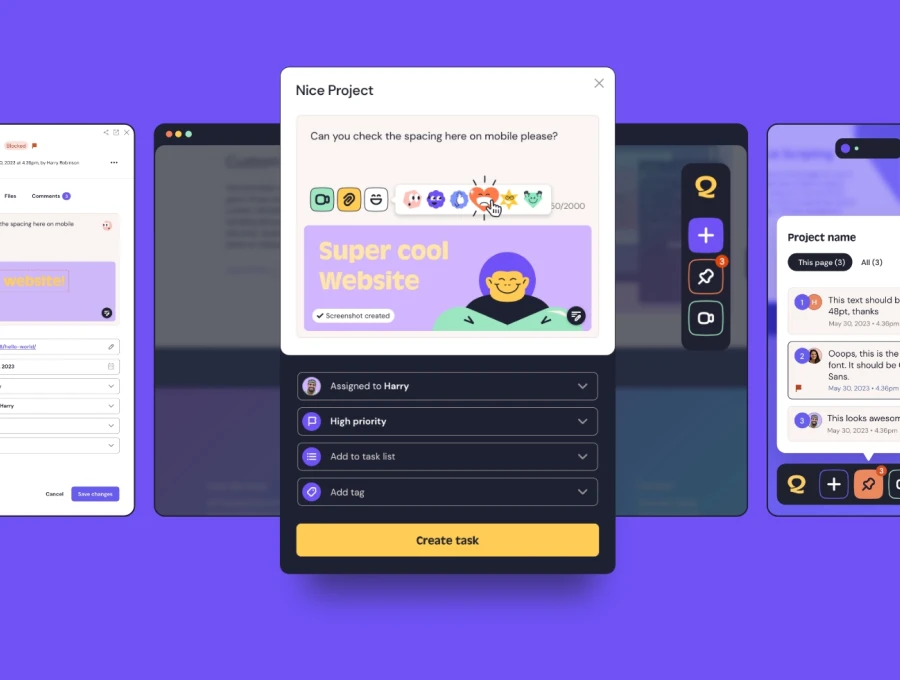
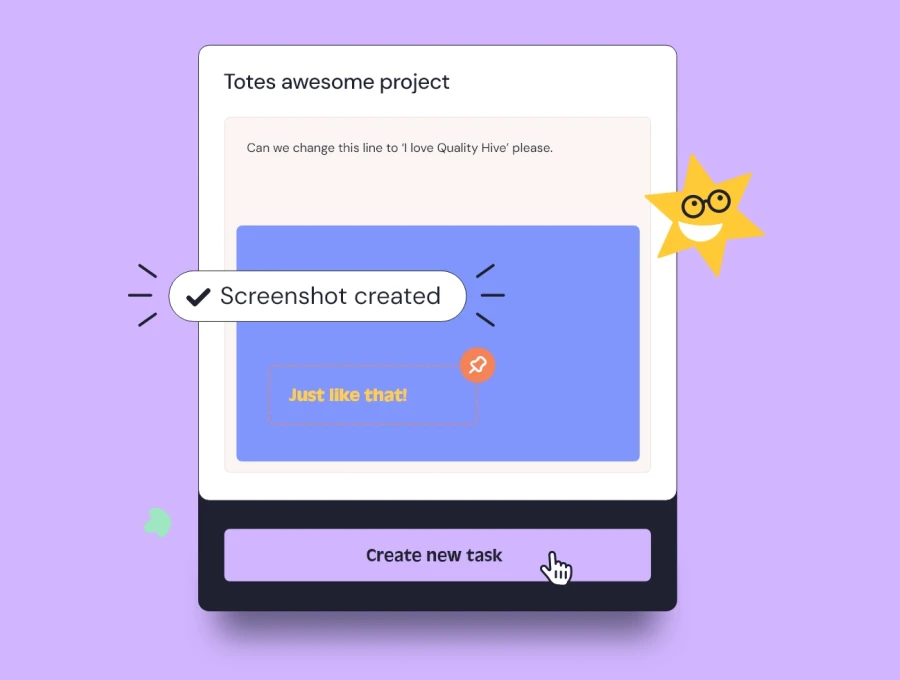
A visual bug reporting tool solves the context problem by starting on the page. With QualityHive, someone clicks an element, types what is wrong and the task is created with a screenshot and that element pinned.
It is not a replacement for a public form, though. With guest feedback, clients get one link with no login, and the widget stays invisible to the public unless they have that link. It needs the Lite plan or above. Many sites end up using both: a simple form for the public and a visual tool for the team and clients.
Revolutionise your QA processes
FAQ
What should a report a bug form include?
A required "what went wrong" box, an optional "what were you trying to do" box, a prefilled page address and an optional email address. Capture the browser, viewport and time automatically.
Should the email field be required?
No. Requiring an email costs you reports from people who only want to be helpful. Make it optional and say exactly what you will use it for.
How do I stop spam on a bug report form?
Start with a honeypot field like the one above, then add server-side rate limiting. Save CAPTCHAs for when those are not enough, because they add friction and can create accessibility problems.
Can a plain HTML form capture a screenshot?
Not by itself. You can add a file upload and let people attach their own, or use a visual tool that captures one when the report is made.
Do I need to mention the form in my privacy notice?
If you collect email addresses or browser details, treat them as personal data and cover them in your privacy notice. Check the wording with whoever handles data protection for you.