Essential cookies enable core functionality. The website cannot function properly without these cookies, and they can only be disabled by changing your browser preferences.
Advertisement cookies are used to provide visitors with relevant ads and marketing campaigns. These cookies track visitors across websites and collect information to provide customized ads.
Used to identify individual clients behind a shared IP address and apply security settings on a per-client basis.
By selecting “Accept all” you allow QualityHive and our partners to use cookies and to share your data for all these purposes.
We and our partners use cookies and similar tools to measure our site's audience, evaluate the performance of our ads, and show you personalized content and ads.
Except for cookies that are essential for navigating our site, we use these cookies and share your data only with your consent.
Automate client feedback with our MCP serverLearn more!
Every web team knows the feeling. A client swears a button does nothing. You open the page, click the button, and it works perfectly. The bug is closed as "cannot reproduce", and three weeks later it comes back with an angrier email attached.
A bug that cannot be reproduced has not gone away. It just has a condition attached to it that nobody has identified yet. This guide walks through a repeatable method for finding that condition, so you can turn a vague complaint into a fixable ticket.
Why Some Bugs Only Happen to One Person
A website is never experienced in isolation. What the visitor actually sees is the product of your code plus their browser, their extensions, their screen size, their connection speed, their saved session, and whatever the last deployment changed. A bug that only appears for one person is usually a bug that depends on one of those variables.
The most common culprits are stale cached assets, a logged-in state that differs from yours, a screen width nobody designed for, a browser extension injecting its own CSS, or a race condition that only shows up on a slow connection. None of these are visible from your own machine, which is exactly why the bug looks imaginary.
Step 1: Get the Environment Before You Get the Steps
Most teams start by asking "what did you click?". Start instead with where they clicked it. Browser and version, operating system, device, screen size, and whether they were logged in will eliminate more possibilities in one question than a long back-and-forth about steps ever will.
This is the single biggest time saver in bug reporting, and it is why capturing browser and device information automatically is worth so much more than asking. People misremember their browser, do not know their screen resolution, and will confidently tell you they are on the latest version when they are two years behind.
Step 2: Reproduce the State, Not Just the Page
Loading the same URL is not the same as being in the same state. Try the page as a brand new visitor in a private window, then as a returning visitor with a session already stored. Clear your cache and try again on a hard refresh. If the bug involves a form, a cart, or anything multi-step, replay the whole journey rather than jumping straight to the broken screen.
A surprising number of "cannot reproduce" bugs are simply cache issues. The reporter is running a version of your JavaScript that you replaced hours ago, and their browser has not caught up.
Save countless hours on your projects
Raise tasks in under 3 seconds using our revolutionary widget
Step 3: Change One Variable at a Time
Once you have a list of candidate conditions, work through them methodically rather than changing three things at once. Narrow the window to the exact reported width. Throttle the network in your dev tools. Disable extensions one at a time. Switch browsers only after you have exhausted the current one.
This is slow, and it is meant to be. The point is that when the bug finally appears you know precisely which variable produced it, which is the difference between a fix and a guess. If the issue turns out to be browser-specific, our guide to cross-browser testing covers how to work through the rendering engines efficiently.
Step 4: Check the Console Before You Check the Code
Open the browser console and reload. An uncaught JavaScript error will often explain the whole thing in one line, and the difference between an error and a warning tells you how seriously to treat it. If you are unsure which is which, we have broken that down in our post on console errors versus console warnings.
Console output is also the evidence most often missing from bug reports. A screenshot shows what broke. The console usually shows why.
Step 5: Capture It the Moment It Happens
The best time to document an intermittent bug is the instant it occurs, because the state that caused it is often gone the moment the page reloads. A screen recording captures the sequence, timing and any visible glitch far better than a written description, and it removes the guesswork about what the reporter actually did.
Encouraging clients and testers to record rather than describe is one of the highest-value changes a team can make. We covered the case for it in video feedback on websites.
What to Do When It Still Will Not Reproduce
Sometimes the condition genuinely cannot be recreated in-house, usually because it depends on real production data or a specific account. Rather than closing the ticket, add logging around the suspected area and wait for it to happen again. An error you have instrumented is an error you will catch next time.
Resist closing anything as "works for me". A bug marked unreproducible and deleted is a bug your users keep hitting silently, and unresolved issues have a measurable effect on trust and conversion, as we explored in how bugs impact websites.
Turn Vague Reports Into Fixable Tickets With QualityHive
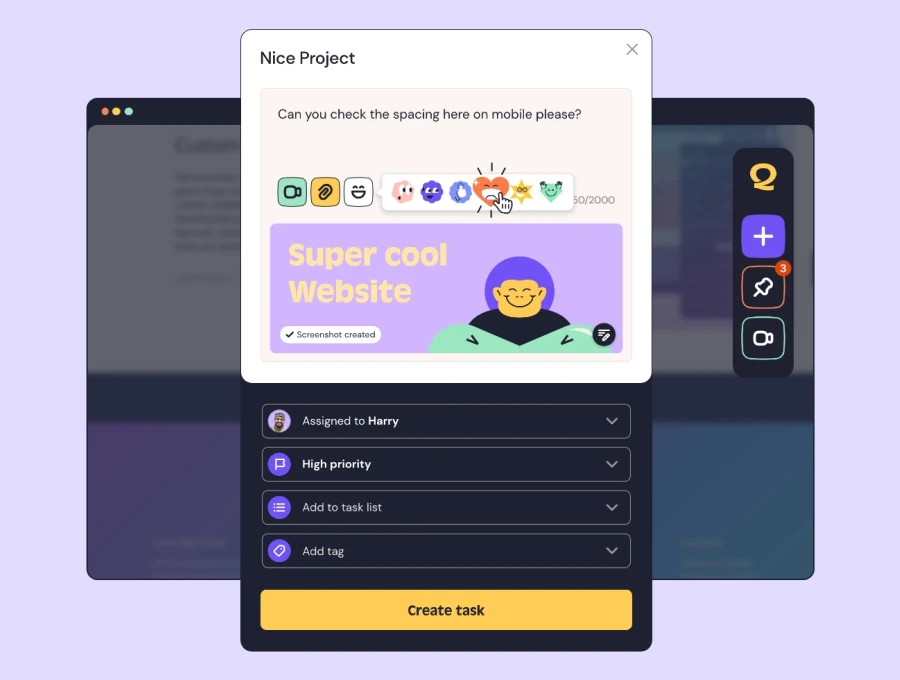
Most unreproducible bugs are really incomplete bug reports. If the person reporting the problem can capture the screen, the browser, the device and the console in one click, the guessing stops.
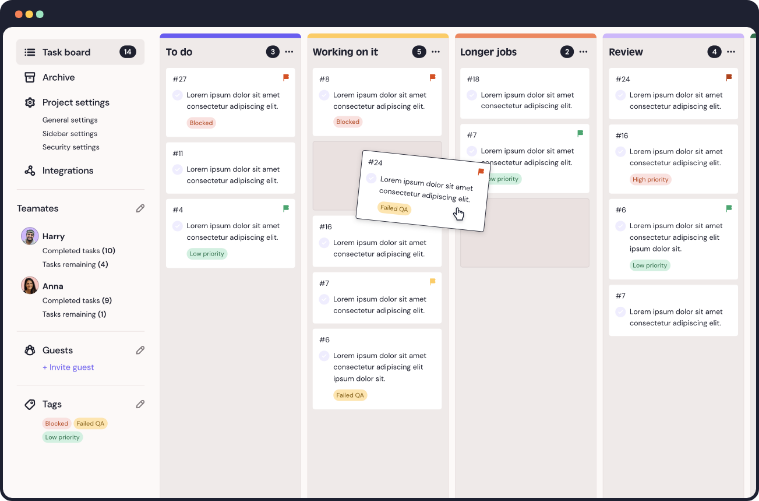
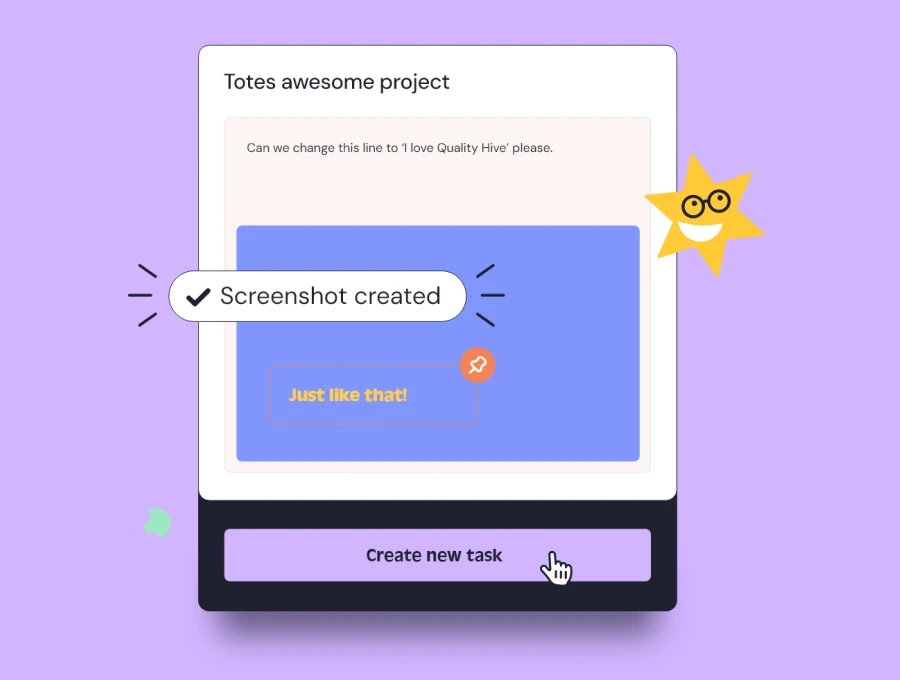
QualityHive lets clients and testers report issues directly on the page with a screenshot, a screen recording, and the full browser and device context attached automatically. Everything lands on a Kanban board your developers already work from, so nothing is lost in an email thread.
If you want your team to spend less time asking "what browser were you on?", start a free trial and see how much faster a properly captured bug gets fixed.