How a UAT round runs in QualityHive
Website UAT usually breaks down at the point where people report what they found. Testers are busy and not technical, so bugs arrive as vague emails and screenshots with no context. QualityHive moves that reporting onto the page being tested.
Add QualityHive to the site. Put a small script in the site's
Send testers the guest link. Include it with your kick-off email and your list of scenarios. Testers do not need an account.
Testers work through the scenarios. When something is wrong they click the element and type what they expected. A task is created with a screenshot and the element pinned.
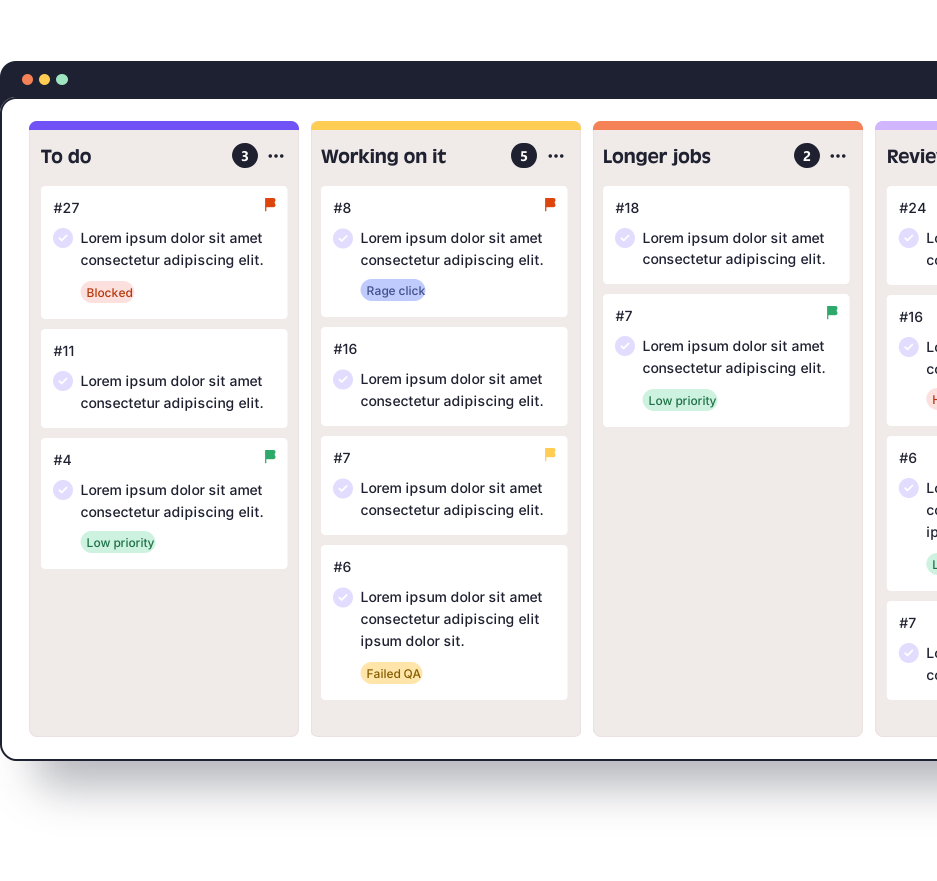
Triage on the board. New tasks land on the Kanban board in real time, so you can run the daily triage from one screen.
Fix and retest. Developers pick up tasks with the context attached. Mark them complete when the retest passes.
What each UAT issue arrives with
Developers lose time on UAT when they have to go back and ask a tester what they were using. These details travel with the task instead:
On the task | Why it helps in UAT | Plan |
Screenshot with the element pinned | The developer sees what the tester saw | All plans |
Annotations | Marks up exactly what is wrong on the screenshot | All plans |
Screen and voice recording | Covers multi-step problems that are hard to describe | All plans |
Browser, OS and screen size | Reproduce the issue on the same setup | Lite and above |
JavaScript errors | Shows errors the tester would never see | Mega and above |
Where QualityHive fits in your process
QualityHive is where UAT issues are raised and worked through. Keep your scope, scenarios and dates in a test plan, and record the final decision on a sign-off form. Our UAT test plan template and UAT sign-off template give you both, and our guide to user acceptance testing covers the whole process.
If your team already plans work elsewhere, Lite and above include direct integrations with Trello and Monday.com. For anything else, webhooks are available on Mega and above, and the REST API is available on Colossal.
When you need a list of what was raised, Mega and above can export tasks to Excel, which is handy for attaching an outstanding issues log to your sign-off form.
Check these before your first round
Headers on the UAT site. The guest link loads the site inside a frame from app.qualityhive.com. If your site sends strict X-Frame-Options or Content Security Policy headers, allow app.qualityhive.com and connector.qualityhive.com. On hosted platforms where you cannot change those headers, Shopify in particular, use the widget script or the browser extension instead.
Which plan you need. Collecting feedback from testers through guest links needs Lite or above. The Free plan is for one person on one project.
Your UAT setup | Plan | Price per month |
One person testing one project, no guest testers | Free | $0 |
Small team, up to 5 projects, guest testers | Lite, 2 members | $18 |
Agency team with unlimited projects | Essential, 5 members | $40 |
Excel export, JavaScript errors and webhooks | Mega, 10 members | $78 |
Larger teams needing API access and priority support | Colossal, 30 members | $140 |
Every new account gets 14 days on Mega with no card, so you can run a first round with guest testers and the full issue data. After that the account moves to the Free plan automatically and your projects stay put. See the pricing page for the full comparison, and the guest feedback guide for setup steps.